
Pawfex AI-AI Video Generation
SINGAPORE BAOLU TECHNOLOGY PTE. LTDTools
4.6207.00 Reviews
- Version
- 1.6.6
- Installs
- 50.00K
- Age Rating
- Everyone
Screenshots
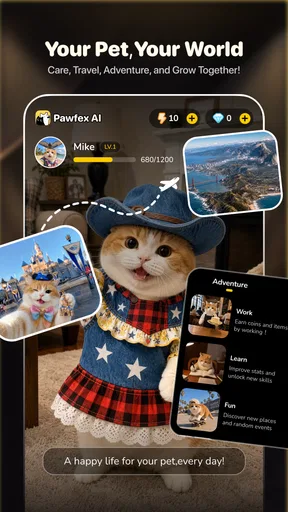
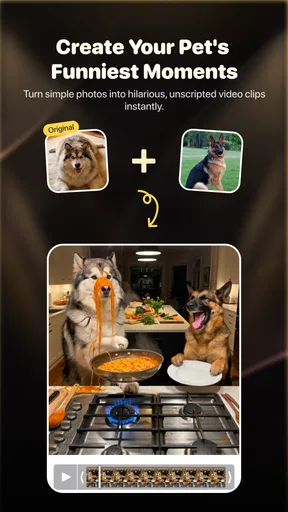
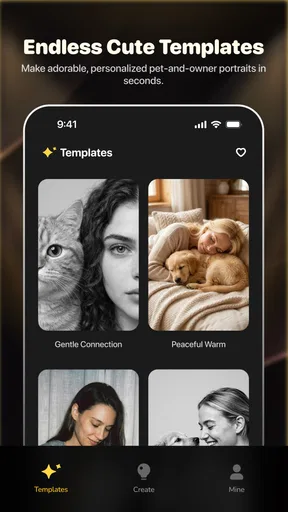
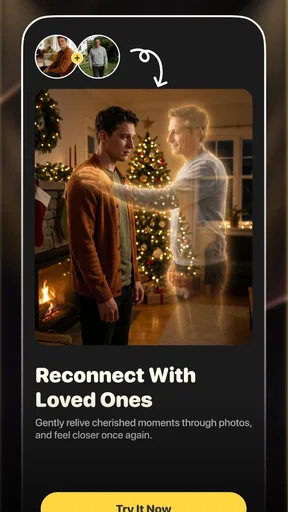
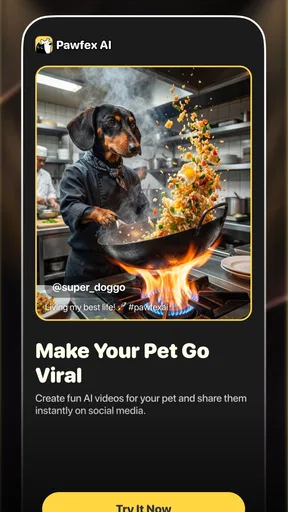
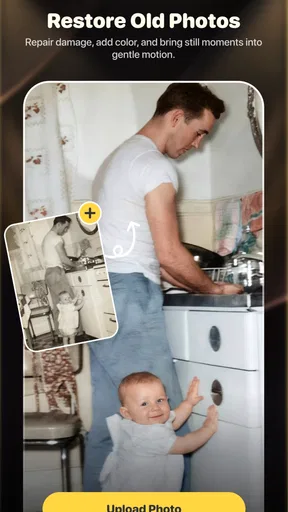
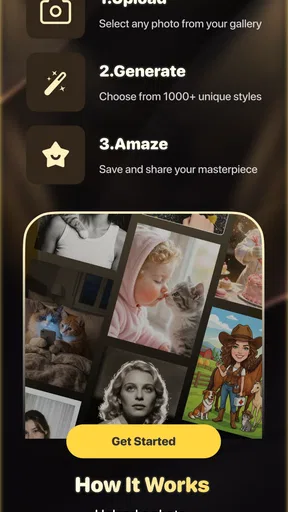
Our Review of Pawfex AI-AI Video Generation
 Analysis by Appyee
I tried Pawfex AI as a playful tool for turning pet photos and short ideas into AI-generated visual content, and its appeal became clear almost immediately: it is less about editing a picture carefully and more about giving an ordinary pet image a new mood. A familiar dog or cat can become the starting point for a humorous scene, a stylized portrait, or a small video concept without requiring the patience or technical knowledge that traditional editing software demands.
That focus makes this app different from a normal photo editor. I would not open it when I need precise cropping, color correction, background removal, or frame-by-frame control. I would open it when I want to experiment with a pet image and see how far an automated creative tool can take it. The result is often more entertaining than practical, but that is exactly why it can be enjoyable.
The app is listed in the Tools category and is made by SINGAPORE BAOLU TECHNOLOGY PTE. LTD. It is free to install, with optional purchases ranging from $0.99 to $39.99 per item. The Everyone age rating also reflects its lighthearted subject matter, although parents should still remember that AI-generated media deserves the same common-sense review as any other content-sharing tool.
Turning a familiar pet photo into a new visual idea
I find that choosing the right source photo is the first creative decision, not a minor setup step: a clear pose gives the transformation room to feel playful while keeping the pet recognizable. In the next section, I look at how that choice fits into the small gaps of an ordinary day, when a quick idea is more appealing than a full editing session.
The capability that matters most
The central experience is the AI pet video and photo generator. In practice, that means the original image is not treated as a finished photograph. It becomes a prompt for transformation. I found this more interesting than simply applying a filter because the point is not only to change color or add a decorative effect. The app encourages a more imaginative question: what kind of scene, character, or visual personality could this pet have?
That distinction matters for expectations. A conventional filter usually preserves the structure of the photograph and changes its appearance. An AI generator may reinterpret the image, so the output can feel more like a creative variation than a faithful edit. For a casual post, joke, greeting, or private experiment, that freedom is useful. For a realistic record of how a pet actually looked, it is less suitable.
I especially like this capability for pets with expressive faces. A tilted head, raised paw, sleepy pose, or unusually serious expression gives the generator something recognizable to build around. A technically perfect studio photo is not always necessary. In fact, an ordinary image from a phone can be more fun because the transformation feels more surprising.
The strongest use is not asking the app to replace a professional production workflow. It is using the app to create a quick visual idea without opening a complicated editor, learning a timeline, or collecting separate assets. That convenience is the real benefit. The app lowers the effort between “I have a funny pet picture” and “I want to turn this into something shareable.”
What I noticed when starting with an image
My first practical suggestion is to choose the source photo carefully. A pet that is clearly visible, reasonably well lit, and not hidden behind another object gives the generator a better foundation. A cluttered background can still produce an amusing result, but it also gives the system more visual information to reinterpret. If the goal is a recognizable pet, a simple composition is usually the safer starting point.
I also recommend keeping a few different source images ready rather than relying on one favorite photograph. The same pet can produce very different results depending on whether it is sitting, looking toward the camera, or captured in motion. This is one of the less obvious parts of the experience: the quality of the idea is influenced not just by the requested style, but by the pose and expression already present in the image.
Another useful habit is to treat the first result as a draft. AI-generated content can be charming precisely because it is imperfect, but an initial attempt may not match the mood I had in mind. Trying a different photo or simplifying the request can be more productive than repeatedly forcing one unsuitable image to work.
How it fits into an everyday routine
Imagine taking a picture of your cat asleep on a chair before leaving for work. Later, instead of sending the same image to a family chat, you use the app to explore a playful video or photo concept based on that pose. The finished result can become a small evening message, a birthday greeting for a pet-loving friend, or simply a private laugh. The workflow is quick because the creative material is already in your camera roll.
That scenario shows where Pawfex AI feels most natural. It is not demanding a long session. I can use it when I have a spare moment, test an idea, and stop when the result feels good enough. This makes it more approachable than a full creative suite, where the effort of importing media, arranging layers, and learning controls can be greater than the value of the final joke.
There is also a useful distinction between personal and public sharing. For a private message, an unexpected visual mistake may make the result funnier. For a public post, I would inspect the pet’s face, body shape, and surroundings more carefully before sharing. AI transformations can change details in ways that are easy to miss when viewing a small preview.
What the app feels like compared with ordinary alternatives
Compared with a standard photo editor, this app offers less direct control but more surprise. A conventional editor is better when I know exactly what I want: a clean crop, a particular brightness level, a carefully removed object, or text placed in a precise position. Pawfex AI is better when I want the software to contribute to the idea rather than merely follow instructions.
Compared with manual video-making tools, its advantage is reduced setup. Traditional mobile video apps can provide timelines, transitions, sound controls, and detailed adjustments, but those features also create work. If my goal is a polished short film with deliberate pacing, I would choose the manual route. If my goal is to turn one pet moment into a playful visual experiment, the AI approach is more inviting.
The trade-off is predictability. Manual tools reward patience with control. AI tools reward experimentation with occasional surprises. I would not call one universally better than the other. They solve different problems, and this app makes the most sense when speed and novelty matter more than exact authorship.
A practical workflow for better results
My preferred workflow begins with a small selection of photos instead of a single upload. I choose one image with a clear subject, one with an expressive pose, and one that has a more interesting setting. Then I compare which image best supports the idea I want to try. This simple step avoids wasting time blaming the generator when the real issue is an unhelpful source picture.
Next, I keep the creative direction focused. A simple concept is easier to judge than a request containing several unrelated moods or scenes. If I want a funny result, I start with the pet’s expression and the intended feeling. If I want something more charming, I choose a gentler concept and avoid adding unnecessary visual complications.
Finally, I review the output at full size before deciding whether it is ready to share. Small previews can hide odd edges, altered markings, or details that make the pet less recognizable. This is particularly important if the image is meant as a keepsake. For casual entertainment, imperfections may be acceptable; for a meaningful gift, I would be more selective.
Where the trade-offs become noticeable
The biggest limitation is that creative automation does not guarantee consistency. A pet may look recognizable in one result and noticeably different in another. That can be harmless in a joke, but frustrating if I am trying to create a sequence in which the same animal appears repeatedly. Anyone expecting dependable character continuity should approach the app cautiously.
There is also a difference between visual novelty and useful editing. The app can help me generate an idea, but it is not a substitute for every tool needed to finish a polished project. I may still want another editor for captions, exact timing, music, trimming, or final formatting. That extra step is not necessarily a flaw, but it means the app is best understood as a creative starting point rather than a complete production desk.
Cost is another consideration. The app is free to use as an entry point, while optional purchases are available inside it. I would explore the basic experience first and decide whether the creative results justify spending money. This is especially sensible for occasional users who only want to make something amusing once in a while.
Users should also think about privacy before importing personal material. Pet photos can include homes, family members, addresses, or other identifying details in the background. I would crop or choose an image carefully when that matters. The same habit is worthwhile with any AI media service, especially when a casual pet picture contains more personal context than expected.
Who benefits most from this approach
I think the best audience is people who enjoy sharing pet content but do not want to learn complex creative software. It also suits users who like trying unusual visual ideas and are comfortable judging results by charm rather than technical perfection. A person who regularly sends playful messages to friends or family can get more value from it than someone who only wants a basic image adjustment.
It may also help small creators who need quick concepts for pet-themed posts. The app can provide a starting point when the usual photo feels repetitive. The important word is “starting point”: I would still check every result, add any required context in another tool, and avoid presenting an altered image as an authentic record.
On the other hand, I would skip it if my priority is precise editing, reliable realism, or professional control over every frame. A photographer preparing a carefully managed portfolio, a business needing consistent brand visuals, or a video editor working to an exact brief will probably be better served by specialized software. The app’s strength is creative spontaneity, not strict production discipline.
Device details and overall usability
The current version is 1.6.6, and the app supports Android 7.0 and later. That broad compatibility makes it approachable for people who are not using a recent phone, although the experience of generating media can still vary with the device and the complexity of the task. I would keep the app updated when possible, particularly because AI-focused tools often improve through changes to their generation workflow.
Its store presence shows a 4.6 average from around 2.2 thousand ratings, with over 200 written reviews and more than 50 thousand installs. Those figures suggest that the concept has found an audience, but they do not replace personal testing. AI output is subjective: someone looking for a funny pet transformation may be delighted by an unpredictable result, while someone seeking exact image control may find the same behavior irritating.
For me, the app works best when I set a modest goal. I do not expect every attempt to be perfect, and I do not treat the generator as an editor that must obey a strict visual plan. I use it to explore a pet photo, keep the most appealing result, and move on. That mindset turns the occasional odd output from a failure into part of the experiment.
My recommendation after using it
Pawfex AI is worth trying if your main goal is to make pet photos feel new again. Its verified focus on AI-generated pet photos and videos gives it a clear identity, and that focus is more useful than a long list of unrelated editing functions would be. The app makes a familiar image feel like raw material for a small creative surprise.
I would recommend starting with a free experiment using a well-lit photo and a simple idea. Compare a few source images, inspect the result carefully, and remember that a funny transformation does not need to look perfectly realistic to succeed. If you later need exact captions, detailed timing, or professional consistency, finish the work in a conventional editor instead.
Overall, I see this as a friendly creative tool rather than an all-purpose media studio. It is most enjoyable for casual sharing, personal experiments, and pet owners who want something more imaginative than a standard filter. If that sounds like your kind of use, the free entry point makes it easy to find out whether its particular blend of automation and surprise fits the way you like to create.
Verdict
Strengths of Pawfex AI-AI Video Generation
- Creates engaging pet videos from simple text prompts.
- Useful for social media creators and pet-focused content.
- AI generation reduces the need for filming or editing skills.
- Can inspire creative story ideas for animal videos.
- Convenient for producing short-form visual content quickly.
Limitations of Pawfex AI-AI Video Generation
- Results may not accurately match your pet’s appearance.
- Generated motion can look unnatural in some scenes.
- Video quality and style may vary between generations.
- Advanced features may require credits or a paid subscription.
- Processing times can increase during busy periods.
Similar Picks in This Category
View All
Google LLC4.0

Gboard - the Google Keyboard
Google LLC4.5

Google Play services
Google LLC4.3

Google Play Store
Google LLC4.9

Files by Google
Google LLC4.5

SHAREit: Transfer, Share Files
Smart Media4U Technology Pte.Ltd.4.3
Frequently Asked Questions
What is Pawfex AI-AI Video Generation, and what can it do?
Pawfex AI-AI Video Generation is an artificial-intelligence video creation app designed to turn written prompts, images, or creative ideas into short videos. Depending on the available tools and subscription level, users may be able to generate animated scenes, apply visual styles, create social-media content, and experiment with AI effects. Results can vary, so detailed prompts and high-quality source images usually produce more consistent output.
Is Pawfex AI-AI Video Generation free to download and use?
The app may be available to download without an initial charge, but some generation features can require credits, subscriptions, or in-app purchases. Free access may also include limits on video length, resolution, processing speed, watermark removal, or the number of daily creations. Before generating extensively, review the pricing page and subscription terms carefully, especially if a free trial is offered.
Does Pawfex AI-AI Video Generation require an internet connection?
Yes, users should expect Pawfex AI-AI Video Generation to require a stable internet connection for most or all of its main functions. AI video generation is generally processed on remote servers rather than entirely on the phone, so prompts and uploaded media may need to be transferred for processing. Weak connectivity can cause failed uploads, longer waiting times, or incomplete generations.
Can I use the videos created with Pawfex AI-AI Video Generation commercially?
Commercial usage depends on Pawfex’s current terms of service, the type of account you use, and the assets included in the generated video. AI-generated content may still involve restrictions related to music, stock elements, characters, logos, or uploaded images. If you plan to use videos for advertising, monetized channels, or client projects, check the applicable license terms and keep proof of your subscription or permissions.
Is Pawfex AI-AI Video Generation safe for uploading personal photos and videos?
Before uploading personal or sensitive media, users should read Pawfex’s privacy policy to understand how files are stored, processed, retained, and potentially used to improve the service. Avoid submitting private documents, confidential business material, or images of other people without permission. Also check whether the app offers deletion controls, account management options, and clear information about third-party processing.
